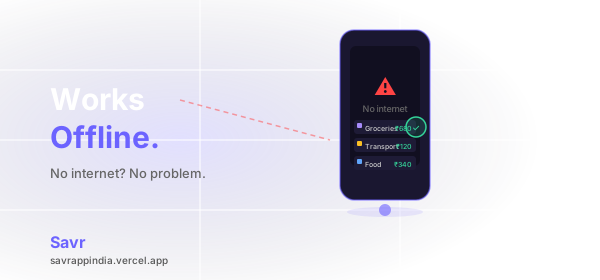
Open your expense tracker on a flight. In a basement car park. In a coffee shop with terrible wifi. In a rural area with no signal. What happens?
If you're using a cloud-first app, the answer is usually: nothing good. A loading spinner. An error message. A blank screen where your financial data should be.
This is a problem that affects everyone, everywhere — not just in places with developing infrastructure. Dead zones exist in every city, on every transit system, in every building with thick concrete walls. Internet connectivity is still not something you can rely on 100% of the time, anywhere in the world.
What cloud-first apps do when you go offline
Most modern expense trackers are built cloud-first. Your data lives on their servers, and the app is essentially a window into that server. When the connection drops, the window goes dark.
Here's what typically happens when you try to use a cloud-first expense tracker without internet:
- You can't add a new expense
- You see outdated data — or nothing at all
- The app queues your entry to sync later — and you forget
- Some apps crash entirely
That moment when you want to log a coffee, a cab ride, a grocery run — and your app refuses to work — is exactly when the habit breaks. Those small unlogged amounts add up to hundreds by the end of the month.
Why this matters more than most people realise
Expense tracking only works if it's consistent. Miss a few transactions and your reports become unreliable. Miss enough and you stop trusting the app. Stop trusting the app and you stop using it.
The single biggest reason people abandon expense tracker apps isn't a missing feature. It's friction. And nothing creates more friction than an app that doesn't work when you need it.
Offline-first removes that friction entirely. The app works the same whether you have five bars of signal or none at all.
Offline-first isn't a backup mode — it's the default
There's an important distinction between an app that has an offline mode and an app that is offline-first.
An offline mode is a degraded fallback — a limited version of the app that sort of works when connectivity is unavailable. It's an afterthought.
Offline-first means the app is designed from the ground up to work without internet. The local device is the source of truth. Everything is stored on your device first. Syncing, when it happens, is a bonus — not a requirement.
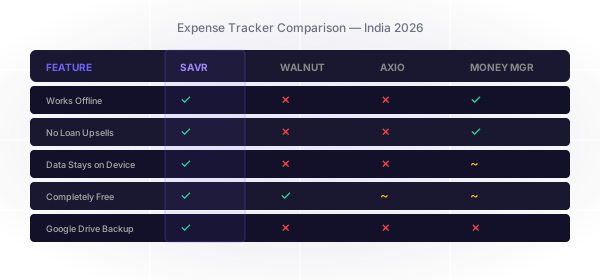
Savr is built offline-first using SQLite — a battle-tested local database used by millions of apps worldwide. There's no server waiting for your expense. No sync queue. No connectivity check. You open the app, log the transaction, done.
What about backup?
Offline-first doesn't mean no backup. The two aren't in conflict.
Savr automatically backs up your data to your personal Google Drive whenever you have internet — which for most people is most of the time. Your data goes from your device directly to your Drive. We never see it, store it, or have access to it.
So you get full offline functionality all the time, and a safe automatic backup whenever connectivity is available. The best of both approaches.
Privacy as a side effect of offline-first
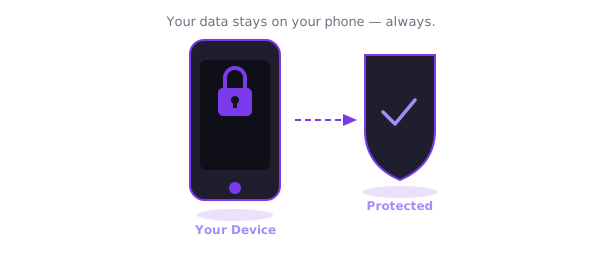
There's an underappreciated privacy benefit to offline-first architecture: if your data never leaves your device, it can never be harvested, sold, or breached.
Cloud-first apps store your spending history on their servers. That data has commercial value — it can be used to target you with financial products, shared with advertising partners, or exposed in a data breach.
When your data lives only on your device, none of that is possible. Offline-first and privacy-first turn out to be the same thing.
The bottom line
Your expense tracker should work everywhere you do — on a plane, underground, in a tunnel, in a remote area, anywhere. It should never show you a loading spinner when you're trying to log a transaction.
Offline-first isn't a niche technical detail. It's the difference between an app you can actually rely on and one that lets you down at the worst moment.
Download Savr on Google Play — free, offline-first, and works everywhere you do.